
Data-Only vs Voice and SMS Travel eSIM: Do You Need Calls and SMS?
Last updated on: November 27, 2026
23 views
Short answer: most travellers on a short trip only need a data-only eSIM. Your home SIM stays on for bank OTPs and calls from home, and WhatsApp and other apps handle the rest over data. A travel eSIM with calls and SMS is worth it if you'll be phoning hotels, drivers or businesses in your destination, or signing up to local services that send codes by text. This guide explains what each type does, who needs which, and the limits people don't expect.
What each type of travel eSIM gives you
Data-only eSIM
Mobile internet, and nothing else. You can use maps, messaging, email, ride-hailing, video calls and anything else that runs over the internet. You can't make ordinary phone calls or receive SMS on it.
Data, voice and SMS eSIM
Mobile internet plus a phone number of its own, so you can make and receive ordinary calls and send and receive texts. The number stays the same in every country your plan covers.
Prune offers both. Many destinations have data, voice and SMS plans as well as data-only ones, and each plan page shows exactly what's included, so check it before you buy.
What a data-only eSIM already covers
People often buy calls and SMS they don't need, because a data-only eSIM does more than they expect:
- Calling home. WhatsApp, Google Meet, FaceTime and similar apps make calls over data, usually free. Some countries restrict internet calling, so check before you go. In the UAE, for example, WhatsApp calls have long been limited.
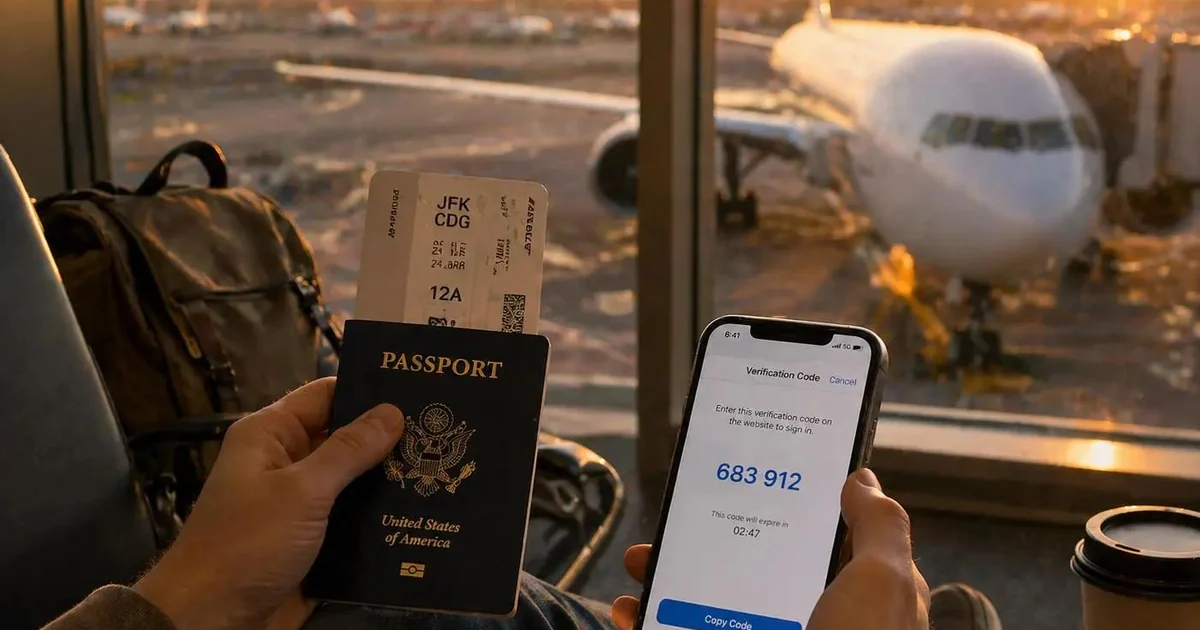
- Bank OTPs. These go to your home number, not to any travel eSIM. Keep your home SIM switched on alongside the eSIM and they keep arriving. See our OTP guide for the full setup.
- Ride-hailing and food apps. Most work over data, and drivers can call or message you through the app.
- Bookings. Hotels and airlines mostly confirm by email or in their app.
When calls and SMS are worth paying for
- You'll phone local numbers. Hotels, restaurants, tour operators, clinics or a driver who only takes calls. Ordinary calls from your travel number are usually far cheaper than roaming calls from your home SIM.
- You'll sign up to services during the trip. Local apps, loyalty schemes or rental services that verify you by SMS need a number that can receive texts while you're there.
- You're travelling for work. Business travellers often need to call clients and colleagues without relying on hotel Wi-Fi or app calls.
- You want a separate contact number. Giving a travel number to drivers and guides keeps your personal number private.
- You're going somewhere app calls are restricted. If internet calling is limited in your destination, a plan with voice gives you a reliable way to make calls. Check what's available for that country.
What a travel number can't do
A travel eSIM number is useful, but it isn't a replacement for your home number:
- It can't receive your bank OTPs. Indian banks, UPI apps and most Indian services need an Indian mobile number, so those codes keep going to your home SIM.
- It isn't a local number. It's the same number in every country, so a few local apps may not accept it. Use email sign-up where they offer it.
- It isn't cheap for people to call. Friends and family calling it from India pay their operator's international rate, so ask them to use WhatsApp instead.
- It ends with your plan. Don't register anything long-term to it.
Quick guide: which one do you need?
- Weekend or one-week holiday: data-only. Use app calls and keep your home SIM on for OTPs.
- Family trip with bookings to manage: data-only for most phones. Consider calls and SMS on one phone for calling hotels and drivers.
- Business trip: data, voice and SMS, so you can call clients and suppliers directly.
- Multi-country tour: a regional plan. Choose voice and SMS if you'll be calling ahead to hotels or guides.
- Students in the first weeks abroad: data, voice and SMS to get set up. Then move to a local SIM once you have an address and a bank account.
Who this isn't for: if you're staying in one country for several months, a local SIM with a local number is usually better value and easier for local services.
Setting it up so both numbers work
- Check your phone supports eSIM and is unlocked. Check your device.
- Install the travel eSIM at home, on Wi-Fi. Our iPhone install guide walks through each step.
- Set the travel eSIM as your mobile data line, with data roaming on.
- Keep your home SIM switched on for calls and SMS, with its data roaming off.
- If your plan has voice and SMS, choose which line to use each time you call. Your iPhone or Android asks, or you can set a default.
Frequently asked questions
Can I receive OTPs on a data-only eSIM?
Not by SMS. But your bank and app OTPs go to your home number anyway, so keep your home SIM switched on and they'll keep arriving.
Can I make WhatsApp calls on a data-only eSIM?
Yes, in most countries. WhatsApp calls run over mobile data. A few countries restrict internet calling, so check your destination's rules.
Do I get a phone number with a voice and SMS eSIM?
Yes. It comes with its own mobile number, which stays the same wherever you travel. It isn't a local number in your destination, and it can't replace your home number for banks or UPI.
Is a voice and SMS eSIM more expensive?
Usually a little, because it includes calls and texts as well as data. Compare the plans for your destination to see the difference.
Can I use both my Indian SIM and the travel eSIM at once?
Yes, on a dual-SIM phone. Most eSIM phones let you keep a physical SIM and an eSIM active together.
Choose the right plan for your trip
Prune has data-only plans and data, voice and SMS plans for local, regional and global trips, all installed by QR code in minutes. Compare plans for your destination.